How to write an estimate clients say yes to
- Itemize. Break the job into labor and materials lines. Clients trust a price they can see the parts of.
- Spell out the scope. Use Notes to say what’s included, what isn’t, and any assumptions.
- Set a valid-until date so you’re not held to old prices.
- Ask for a signature. The PDF includes an acceptance line, so you have written approval before you start.
What is an estimate?
An estimate is a document that tells a client what a job will probably cost before any work begins. It sets expectations on price, scope and timing, gives the client something concrete to approve, and gives you a record of what was agreed. A good estimate also does quiet selling: a clear, itemized, professional document signals that the job will be run the same way.
What to include in an estimate
- Your business details and logo, plus any license number your trade requires you to show.
- The client’s name and the job address.
- An estimate number and date, so revisions are easy to tell apart (EST-0031, then EST-0031-B).
- A valid-until date.
- Itemized labor and materials, with quantities and rates.
- Tax, discounts and the estimated total.
- Scope, exclusions and assumptions in the notes, such as “Excludes permit fees” or “Assumes existing wiring is to code”.
- Deposit and payment terms if you’ll require money upfront.
- An acceptance line for the client’s signature and date. The PDF adds it automatically.
A filled-in example
A painter estimating an interior job. Names and figures are illustrative.
| Description | Qty | Rate | Amount |
|---|---|---|---|
| Labor: prep, patch and paint living room and hallway (walls and trim) | 22 | $55.00 | $1,210.00 |
| Paint, premium interior eggshell (gallons) | 6 | $58.00 | $348.00 |
| Supplies: tape, drop cloths, filler | 1 | $75.00 | $75.00 |
| Estimated total | $1,633.00 |
The notes on this estimate would say: ceilings not included; price assumes no drywall replacement; 30% deposit to schedule; balance due on completion. That’s the difference between an estimate that gets accepted and one that turns into an argument later.
Estimate, quote or bid?
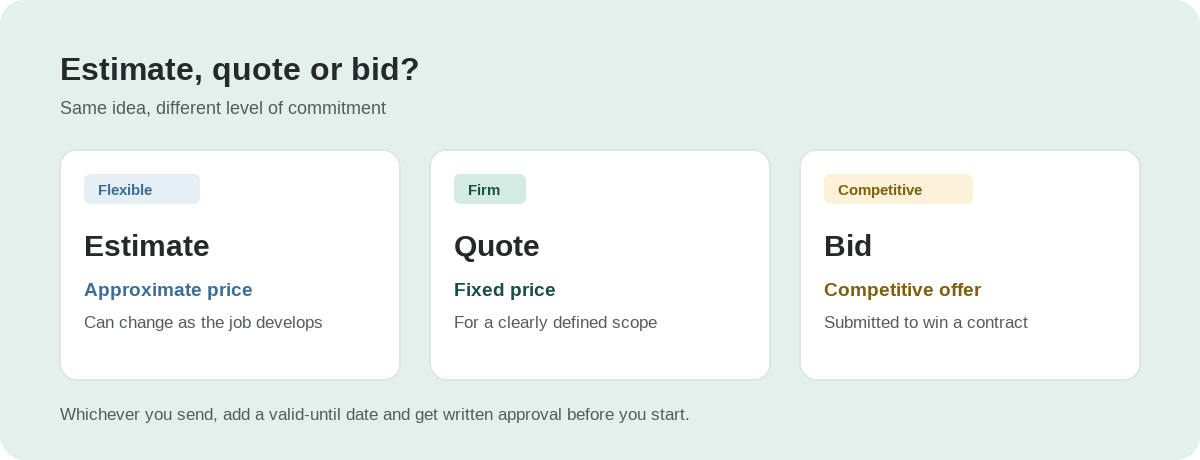
People use the words loosely, but the difference matters if the job changes. An estimate is your best approximation. A quote is a fixed price for the scope described. A bid is a price submitted to win competitive work. Rename the document at the top of the form to match what you’re offering.
Pricing the job
Most estimates are built from the same four pieces:
- Labor: hours (or days) times your rate, by task or by trade.
- Materials: quantities and unit prices, with a little allowance for waste where it applies.
- Subcontractors and equipment: any work or rentals you’re buying in.
- Overhead and profit: built into your rates or added as a markup, so the job pays for your insurance, vehicle, tools and time spent estimating.
If prices for a material are volatile, say so and shorten the valid-until date, or list that item as an allowance that will be adjusted to the actual cost.
Best practices
- Visit or ask before you price. Photos, measurements and a short call prevent most bad surprises.
- Send it quickly. A clear estimate the same or next day often wins over a cheaper one that arrives later.
- Write the scope in plain English. The client should be able to tell exactly what they’re getting.
- List exclusions. What you don’t include is as important as what you do.
- Offer options when it helps, such as good, better and best materials, as separate estimates.
- Follow up a few days later with a short, friendly message.
- Keep every version. Number revisions so everyone is looking at the same document.
Line items by trade
Not sure how to break a job down? These are typical ways to structure an estimate. Use them as a starting point and adjust to how you actually price your work.
| Trade | Typical line items | Notes worth adding |
|---|---|---|
| Painting | Labor by room or by hour; paint by gallon; primer; supplies | Number of coats, whether ceilings and trim are included |
| Plumbing | Service call; labor by hour; fixtures and parts; disposal | What happens if hidden damage is found |
| Electrical | Labor; devices and fixtures; wire and materials; permit | Who pulls the permit, inspection timing |
| Landscaping and lawn care | Labor; plants and materials by unit; equipment; haul-away | Visit frequency, season, watering responsibilities |
| Cleaning | Rate per visit, per room or per square foot; add-ons (oven, windows) | Supplies included or not, frequency discounts |
| Auto repair | Parts by part number; labor hours; shop supplies; diagnostics | Parts brand or grade, warranty on work |
| Web design | Design; build by page or template; content; revisions; hosting setup | Rounds of revisions, what counts as a change request |
| Events and catering | Per-guest food price; staff hours; rentals; travel | Final guest count deadline, deposit to hold the date |
Common estimate mistakes
- One lump sum with no breakdown, which invites haggling over the whole number.
- No exclusions, so the client assumes everything is included.
- No expiry date, leaving you tied to last season’s material prices.
- Forgetting overhead: travel time, disposal, permits and the time spent on the estimate itself.
- Starting without a signature, then disagreeing about what was approved.
- Changing scope verbally instead of sending a revised estimate or change order.
Who uses estimates
Estimates are standard in construction and remodeling, painting, plumbing, electrical, roofing, landscaping and lawn care, cleaning, auto repair and moving, as well as for creative and professional work like web design, photography, events and catering and consulting. Anywhere the price depends on the specifics of the job, an estimate makes the conversation easier.
After the client accepts
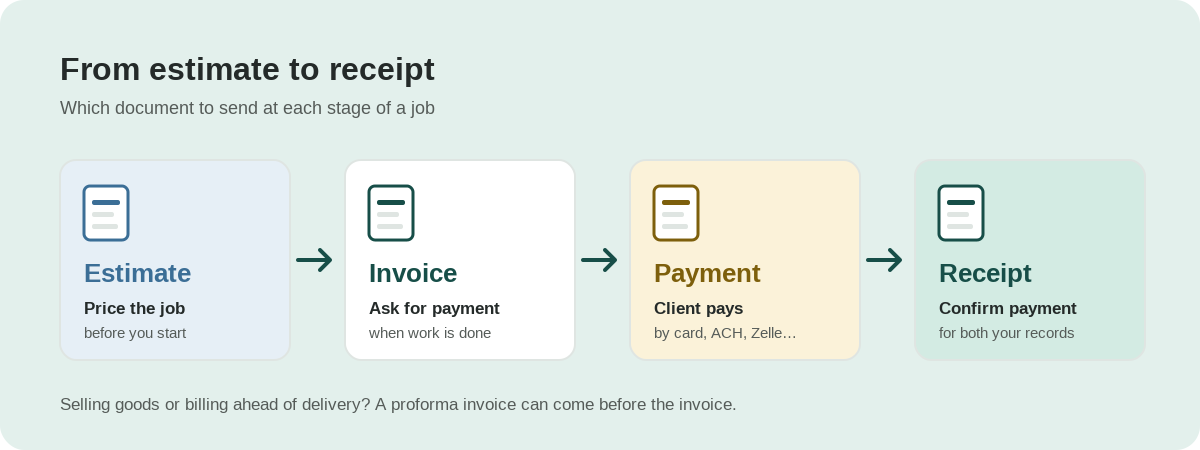
Keep the signed estimate with your records. If you need money before starting, send a deposit invoice or a proforma invoice. When the work is done, create the bill in the free invoice generator, credit the deposit under Already paid, and send a receipt once you’re paid.
Want accepted estimates to turn into invoices in one click? That’s on the InvoiceDodo roadmap. Join early access.